
Long / Short
How a long and a short position is opened in SmartDOM, how spot differs from futures and how to close a position.
How to open
Section titled “How to open”There are no separate “Long” and “Short” buttons. The direction is set by the order side:
| Side | How to place | Result on futures |
|---|---|---|
| Buy | left click on a price, Q at market, A limit at the best price | opens a long or closes a short |
| Sell | right click on a price, W at market, S limit at the best price | opens a short or closes a long |
Spot and futures
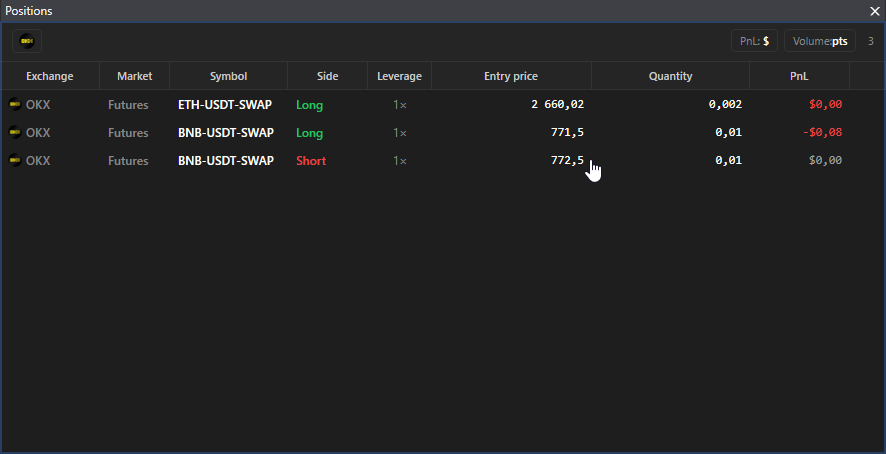
Section titled “Spot and futures”- Futures. A position is Long or Short; the Positions panel shows the side, leverage, entry price, volume and PnL.
- Spot. There is no short. The position is the coin bought to the balance: while it is there, the Positions panel shows a row with the entry price from your trades. Sold everything, the row disappears. A coin bought outside the terminal is shown with a zero entry price and zero PnL.
Position mode on the exchange
Section titled “Position mode on the exchange”Use one-way mode on the exchange. Hedge mode, where a long and a short are open on one instrument at the same time, is not supported: TP/SL and closing work with a single position per instrument.
How to close a position
Section titled “How to close a position”| Method | How | Key |
|---|---|---|
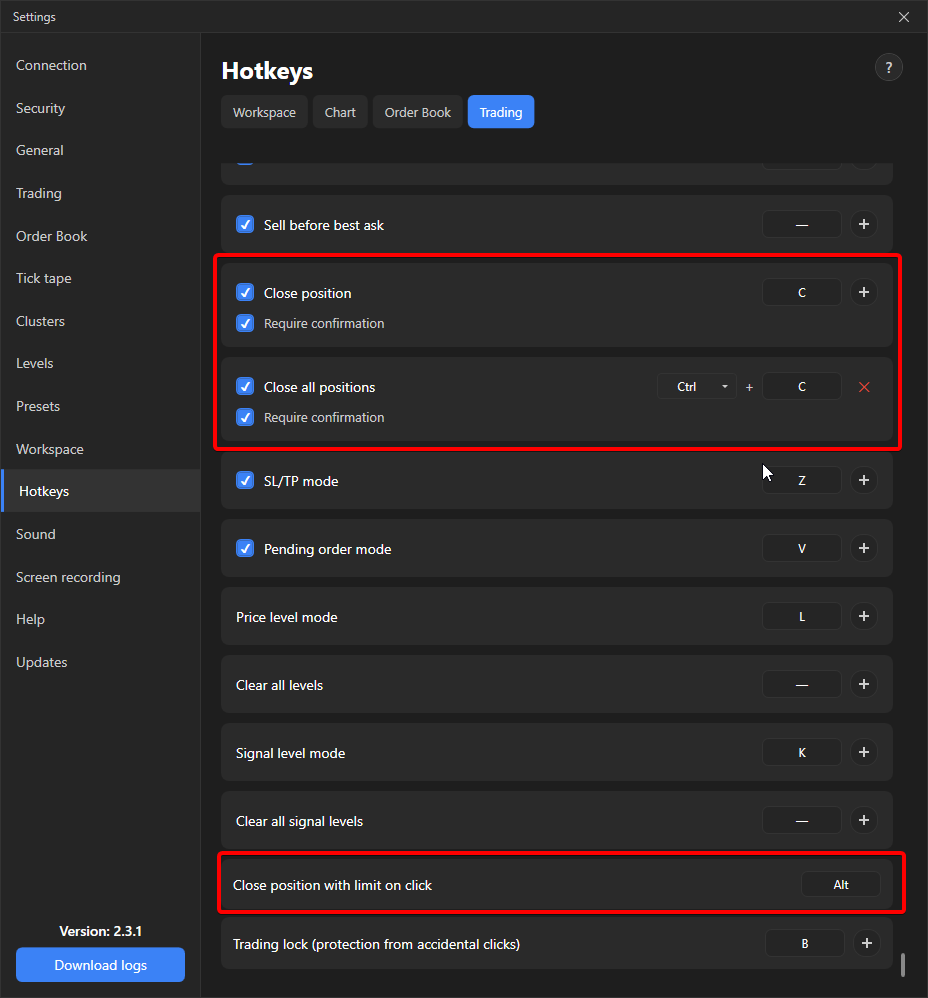
| Limit order by click | Hold Alt and click a price. An order for the whole position volume in the closing direction. If the clicked price crosses the spread, the order fills immediately. | always available |
| At market | The “Close position” key for the order book under the cursor. Not assigned by default, the terminal asks for confirmation before closing. | assign in settings |
| All positions at market | The “Close all positions” key: in all panels, tabs and windows, with confirmation. | assign in settings |
The Positions panel only shows positions, it has no close buttons. A double click on a row opens the order book of that instrument.
Details
Section titled “Details”- On futures the closing order is marked as reduce-only, so an opposite position cannot be opened accidentally with Alt.
- If after closing on spot a volume below the minimum lot remains, the terminal reports “Position remainder is too small (dust)” and removes the position from the panel. The terminal does not sell such a remainder.
- The “Cancel limit orders when the position closes” option in Settings → Trading removes the remaining limit orders after closing.