
Large volume notifications
How the terminal reports a large trade in the tick tape and how it marks large prints.
Sound notification
Section titled “Sound notification”- Open the panel gear, the Tape tab.
- Enable Notification: large volume detected and set the Large volume threshold (USD).
- The sample is chosen in Settings → Sound → Large volume. There is no common switch there, it is enabled only in the panel.
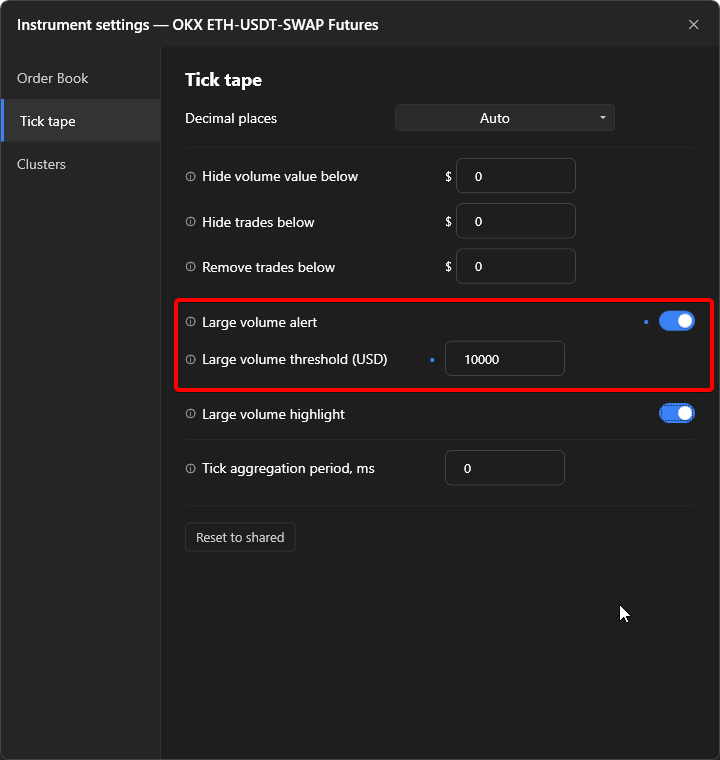
The check runs on every exchange trade, before the tick tape filters and before sweep merging. The notification is sound only, nothing appears on screen.
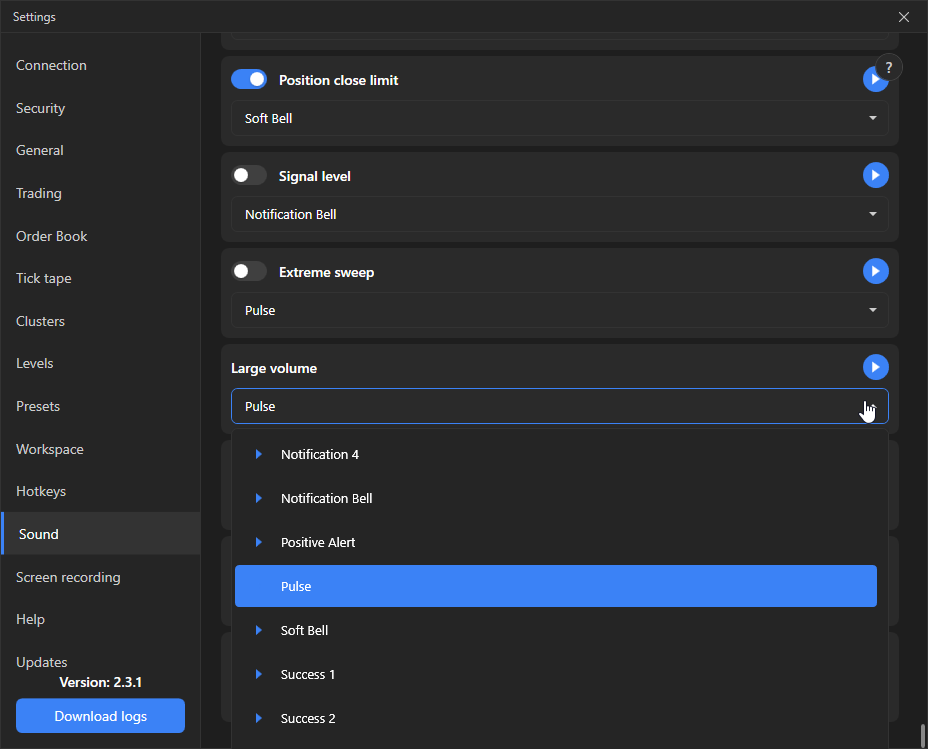
Large volume highlighting
Section titled “Large volume highlighting”The “Large volume highlighting” switch on the same tab adds an outline to prints:
- Regular tape: by the “Large volume 1” and “Large volume 2” thresholds from the order book settings, colours from the theme. Threshold 2 takes priority.
- Sweep tape: a large print by the large volume notification threshold, the outline contrasts with the background.
The print size does not depend on this switch: in the regular tape it is defined by the trade amount, in the sweep tape by the sweep depth.