
Presets
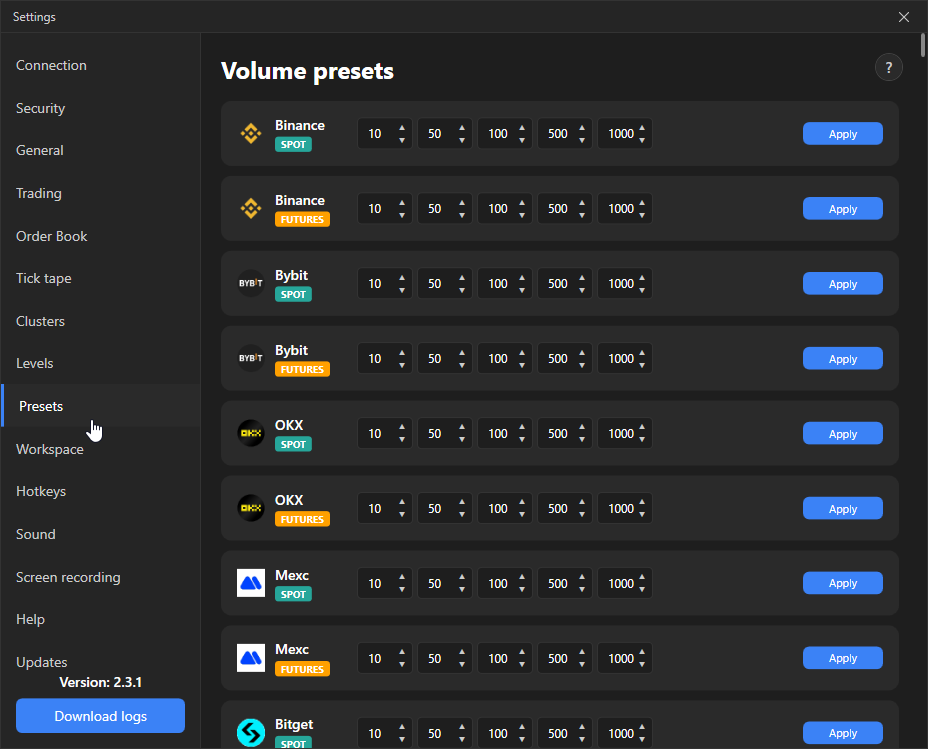
The Volume presets tab: five quick volumes for each exchange × market pair, selected with keys 1–5 in the order book.
Where it is in SmartDOM
Section titled “Where it is in SmartDOM”Settings → Presets. The ? icon in the top right corner of the tab opens this article.
How it works
Section titled “How it works”The tab has one card per exchange and market pair: for example “Binance SPOT”, “Binance FUTURES”, “Bybit FUTURES”. Each card has five numeric fields, values from 0 to 1,000,000.
| Element | What it does | Default |
|---|---|---|
| Five volume fields | The values placed into the order book as volumes 1–5. | 10, 50, 100, 500, 1000 |
| Apply | Saves the pair’s preset and makes it the default volumes: an instrument of this pair without its own manual volumes opens with them, including already open order books. |
Keys 1–5 without modifiers are reserved for volume selection; another action cannot be assigned to them.