
Densities
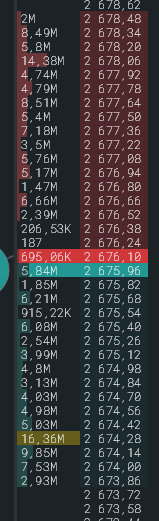
A density is a large order at one level. SmartDOM shows densities as a bar in the row, as highlighting and as markers outside the screen.
Fill bar and full-scale volume
Section titled “Fill bar and full-scale volume”The bar length in the volume cell is the level’s share of the “Full-scale volume”. By default the scale equals the largest level in the order book: it is filled to 100%, the others proportionally. The current value is shown by the density badge in the top right, in dollars in $ mode.
- In the panel gear the “Full-scale volume” field takes your own value in lots or dollars. The “Reset to auto” button returns the automatic mode.
- Hold F and turn the wheel: the scale changes by 3% per click, the cursor becomes a double arrow. The value is saved when you release the key.
Densities outside the order book
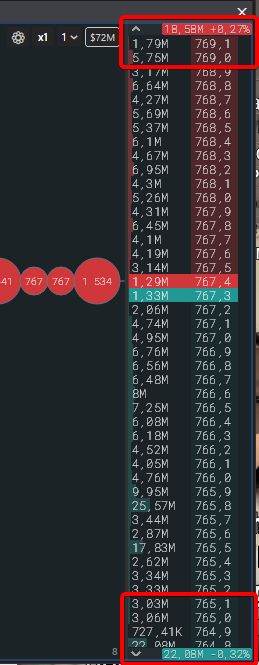
Section titled “Densities outside the order book”Large densities outside the visible part are shown as markers: a strip above the order book for levels higher, a strip below for levels lower, with a direction arrow. The marker closest to the market sits next to the price column. Clicking a marker scrolls the order book to the level, the row flashes in the colour of its side for a couple of seconds.
Marker label: the density size always, the price and distance by separate switches. The distance is measured from the best ask for levels above and from the best bid for levels below, in percent, price steps or as a price. If there are more markers than fit, the extra ones collapse into “+N”.
What counts as a large density
Section titled “What counts as a large density”| Mode | Rule | Default value |
|---|---|---|
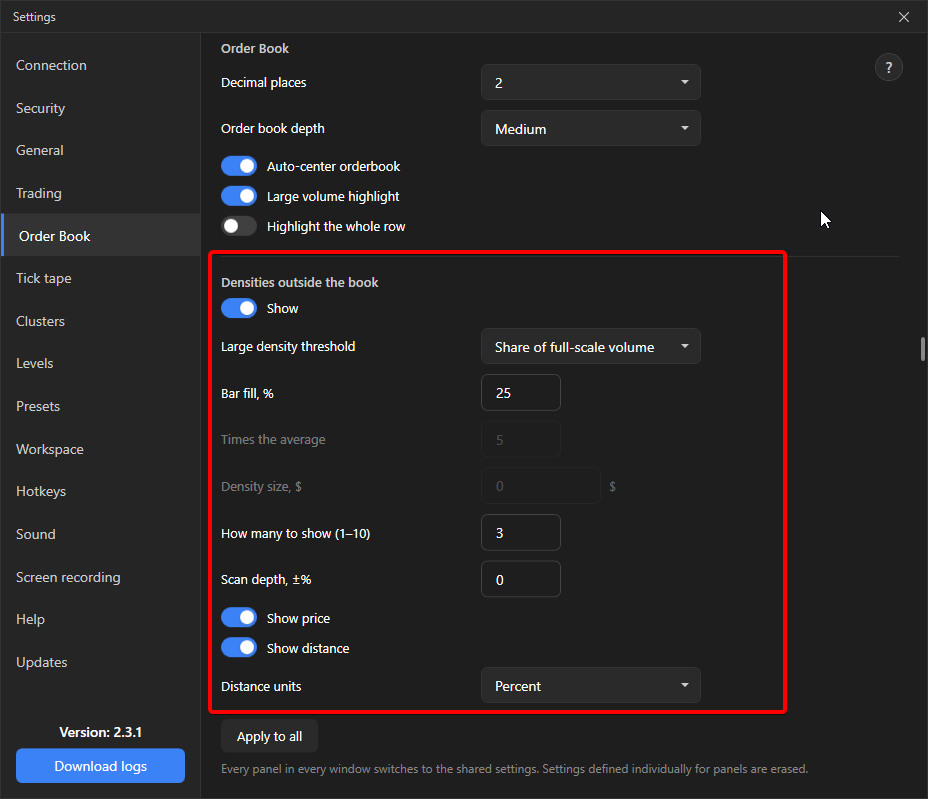
| Share of the full-scale volume | A level is large if its bar is filled to at least the set percentage of the scale. Does not depend on scrolling or window size. | default, 25% |
| Times the average | The average is taken over non-empty levels around the spread in a screen-sized window. The threshold adapts to the instrument. | 5 |
| Absolute size | Threshold in dollars: the order at the level is worth more than the amount. | 0 |
Additionally: “How many to show” from 1 to 10 per side, “Scan depth, ±%” limits the search to a range from the price, 0 means the whole available order book within the order book depth.
Large volume highlighting
Section titled “Large volume highlighting”Separately from the bar: levels above the “Large volume 1” and “Large volume 2” thresholds are filled with colour entirely. Described in Order book display settings.