
Workspace
The Workspace tab: how panels open and which hints and confirmations the terminal shows.
Where it is in SmartDOM
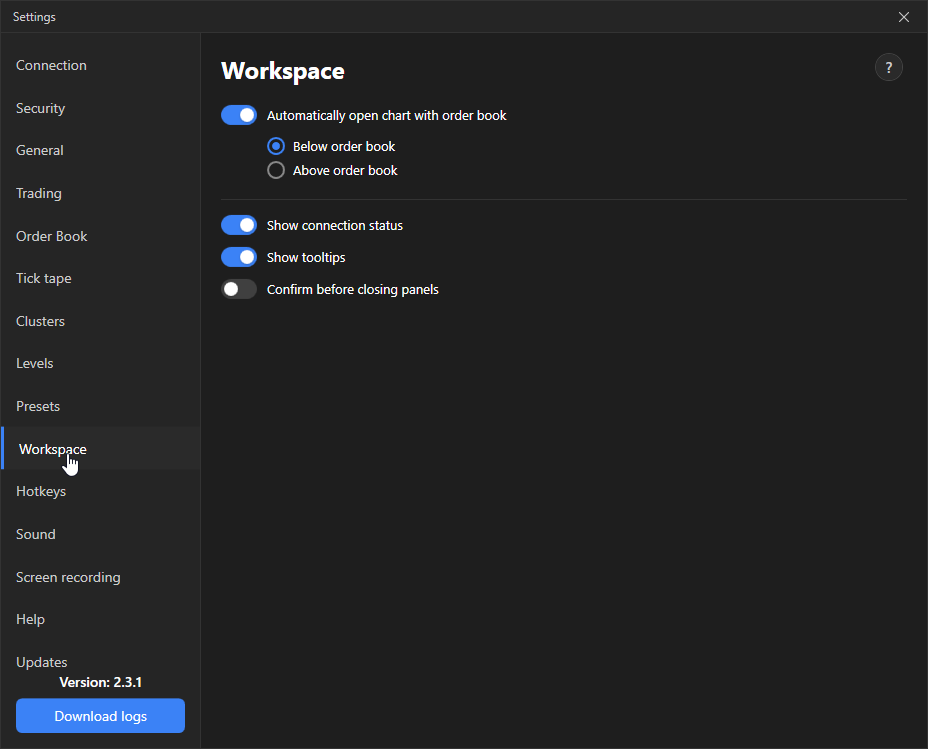
Section titled “Where it is in SmartDOM”Settings → Workspace. The ? icon in the top right corner of the tab opens this article.
| Setting | What it does | Default |
|---|---|---|
| Automatically open a chart with the order book | When an instrument opens, a chart is created next to the order book right away. | On |
| Below the order book / Above the order book | Where to place the automatically created chart. | Below the order book |
| Show connection status | Pop-up notifications “Connection established”, “Reconnecting…”, “Connection restored”, “Connection closed”. | On |
| Show tooltips | Hints when hovering over interface elements. | On |
| Ask for confirmation when closing panels | A question before closing the order book, chart and other panels. | On |