
Levels
The Levels tab: appearance of price and signal levels and the behaviour of the notification when a signal level triggers.
Where it is in SmartDOM
Section titled “Where it is in SmartDOM”Settings → Levels. The ? icon in the top right corner of the tab opens this article.
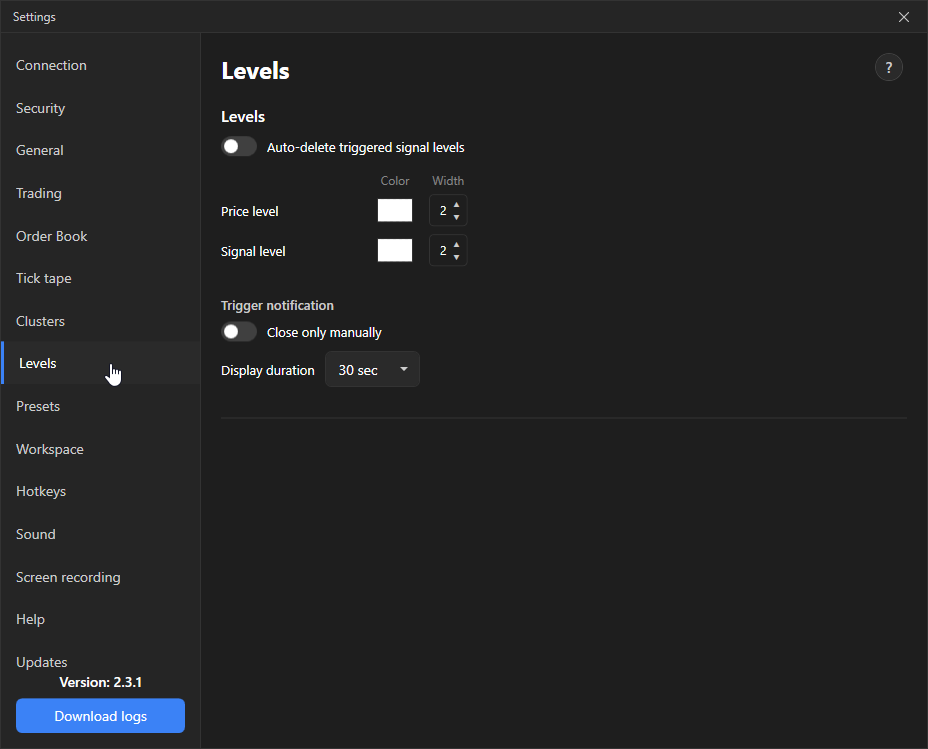
Levels
Section titled “Levels”| Setting | What it does | Default |
|---|---|---|
| Auto-delete signal levels | A signal level is removed after it triggers. | Off |
| Price level: colour and width | Line colour and width 1–10 px. | |
| Signal level: colour and width | The same for signal levels. |
Price levels are placed in L mode, signal levels in K mode (the keys are set on the Hotkeys tab). When the price reaches a signal level, it plays a sound and shows a notification.
Trigger notification
Section titled “Trigger notification”| Setting | What it does | Default |
|---|---|---|
| Close manually only | The notification stays until closed. | Off |
| Display duration | 5 s, 30 s, 1 min, 5 min, 30 min or 1 h. Unavailable if “Close manually only” is on. | 30 s |