Clusters
The Clusters tab: cluster frames and outlines and common settings of cluster panels.
Where it is in SmartDOM
Section titled “Where it is in SmartDOM”Settings → Clusters. The ? icon in the top right corner of the tab opens this article.
Clusters
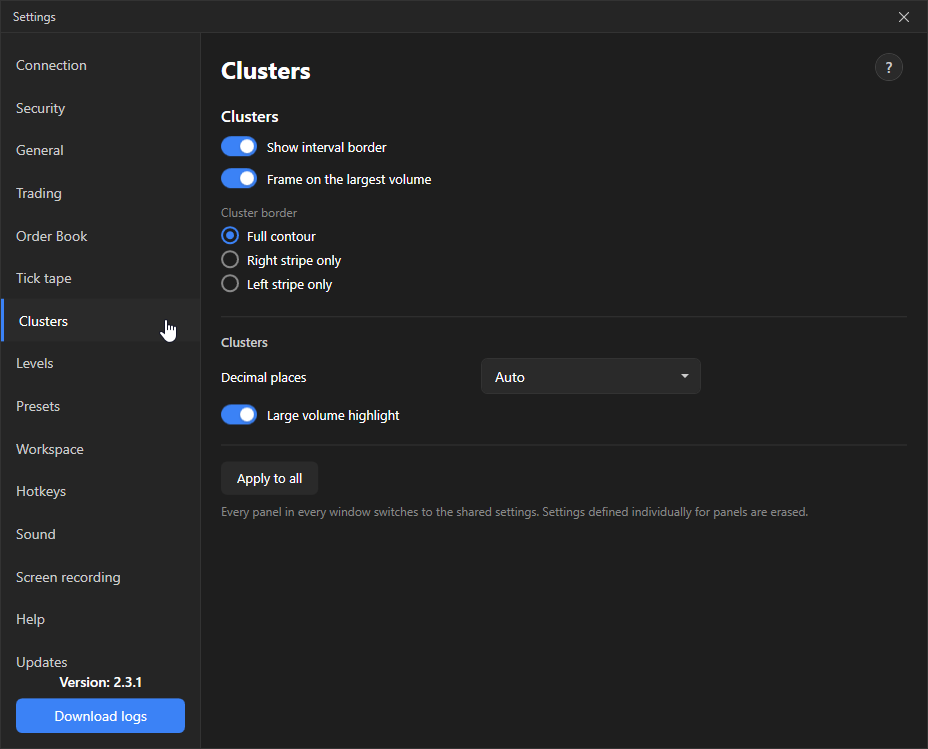
Section titled “Clusters”| Setting | What it does | Default |
|---|---|---|
| Show interval outline | A grey cell grid inside the cluster and a coloured interval frame by buy/sell imbalance. Turn off and clusters have no frames. | On |
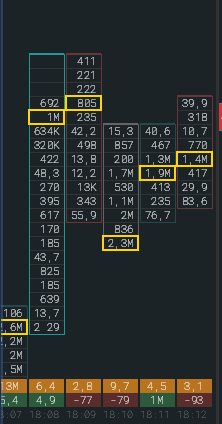
| Frame on the largest volume | Frame the cell with the maximum volume in the cluster. | Off |
| Cluster outline | Around the contour, Right only or Left only. | Right only |
Clusters (common panel settings)
Section titled “Clusters (common panel settings)”| Setting | What it does | Default |
|---|---|---|
| Decimal places | Auto or 0–4. With 0 the fractional part is truncated without rounding. | Auto |
| Large volume highlighting | Highlight cells with a large volume. | On |
The Apply to all button is the same as on the Order book tab.