
Sound
The Sound tab: which events are voiced and with which sample.
Where it is in SmartDOM
Section titled “Where it is in SmartDOM”Settings → Sound. The ? icon in the top right corner of the tab opens this article.
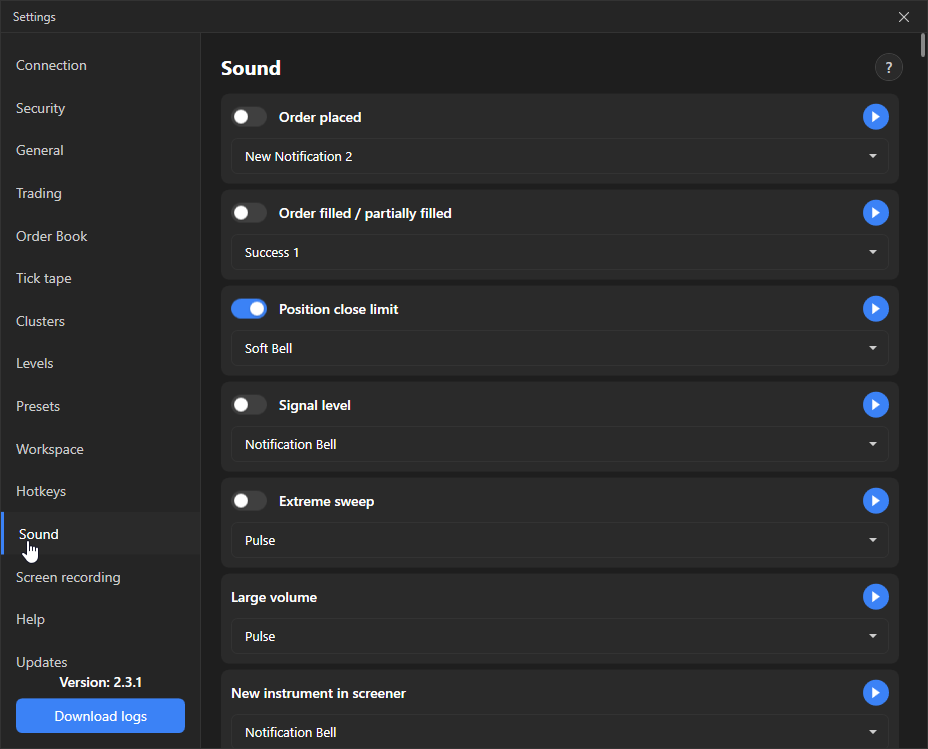
Events
Section titled “Events”Each event has its own card: an enable switch (not on all), a sound drop-down and a preview button.
| Event | Where it is enabled | Default |
|---|---|---|
| Order placed | Has a switch. | Off |
| Order filled / partially filled | Has a switch. | Off |
| Limit order to close a position | The order placed with an Alt-click. Has a switch. | On |
| Signal level | Has a switch. | Off |
| Extreme sweep | One aggressive order went through so many levels that the print in the tick tape reached the maximum size. Has a switch. | Off |
| Large volume | Sound selection only. Enabled in the tick tape settings: “Notification: large volume detected”. | |
| New instrument in the screener | Sound selection only. Enabled with the “Sound” checkbox in the screener tab notifications. | |
| Hour change | Has a switch. | |
| Listing start | Sound selection only. Enabling and timing are in the “Listing notification” pop-up of the listings table. |