
Orders
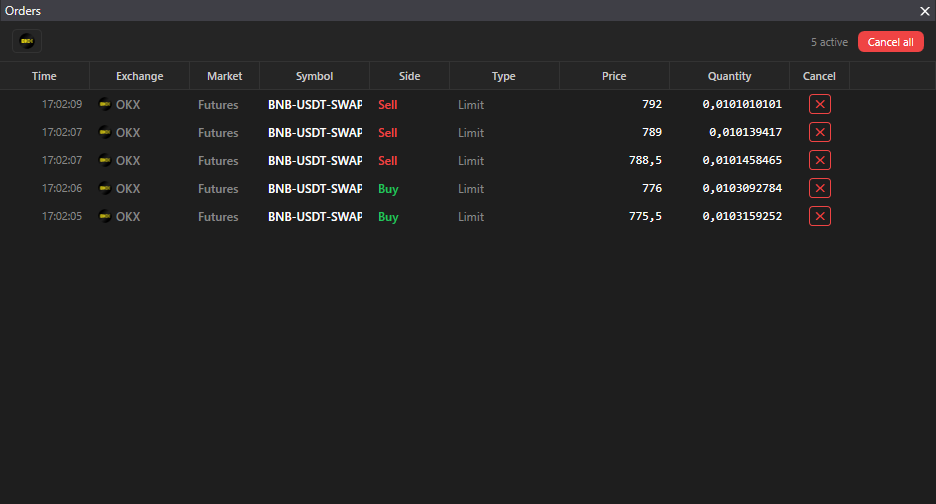
The “Orders” panel shows all active orders on all connected exchanges in one table.
Where it is
Section titled “Where it is”Top bar → Windows → Orders. There is one panel per terminal, it keeps its filters when reopened.
Columns
Section titled “Columns”| Column | Note |
|---|---|
| Time | of order placement |
| Exchange, Market, Ticker | |
| Side | Buy or Sell |
| Type | Limit, Stop Loss, Take Profit, Pending |
| Price, Volume | |
| ✕ | cancel the order |
A right click on the table header hides and shows columns.
Filters
Section titled “Filters”Exchange chips above the table: a left click enables and disables all markets of the exchange, a right click opens the selection of individual markets.
Actions
Section titled “Actions”- ✕ in a row cancels the order after the confirmation “Cancel order …?”.
- Cancel all cancels only the rows visible with the current filter, with the confirmation “Cancel N active orders?”.
- A double click on a row opens the instrument’s order book.
- Under the trading lock the cancel buttons are unavailable.
Empty table: “No active orders”.
Bitget Spot: orders placed outside the terminal appear in the table after you open the order book of that symbol. On the other exchanges and markets all orders are visible immediately.