Cancelling orders
Ways to cancel an order in SmartDOM, automatic cancellation and the trading lock.
How to cancel
Section titled “How to cancel”| What | How | Note |
|---|---|---|
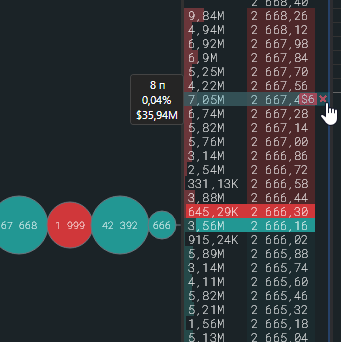
| One order | The cross on the badge in the order book or ✕ in the row of the Orders table. In the table the terminal asks for confirmation. | |
| All orders at one price | Middle click (press the mouse wheel) on the order book row. Works in any mode. | |
| All limit orders for the instrument | The Space key with the cursor over the order book. Confirmation is off by default and can be enabled in the key settings. | afterwards “Cancelling orders: N/M succeeded” is shown |
| All orders in the table | The “Cancel all” button in the Orders panel. Only rows visible with the current exchange filter are cancelled. | with confirmation |
Automatic cancellation
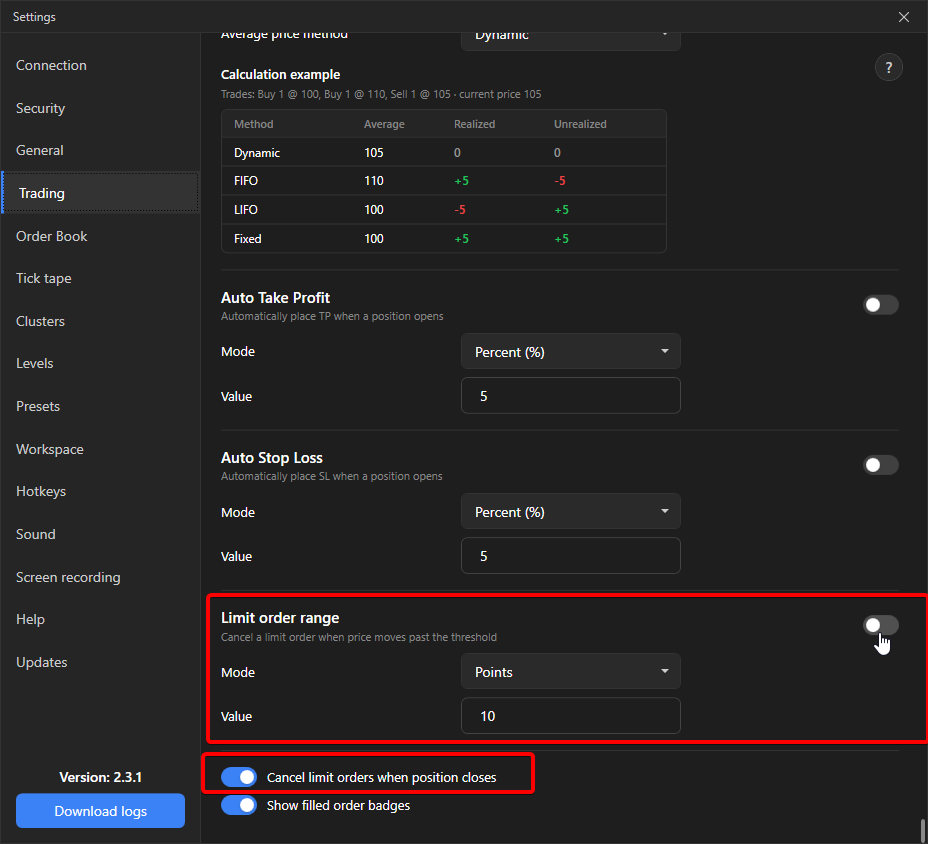
Section titled “Automatic cancellation”- Limit order range (Settings → Trading). If the price moves away from a limit order beyond the threshold in percent or points, the order is cancelled. The distance is measured in both directions, the percentage is of the order price. Applies only to regular limit orders, stops and TP/SL are not touched.
- Cancel limit orders when the position closes. After the position closes, the remaining limit orders for the instrument are removed. Off by default.
- A moved order is cancelled and placed again: Market and limit orders.
Trading lock
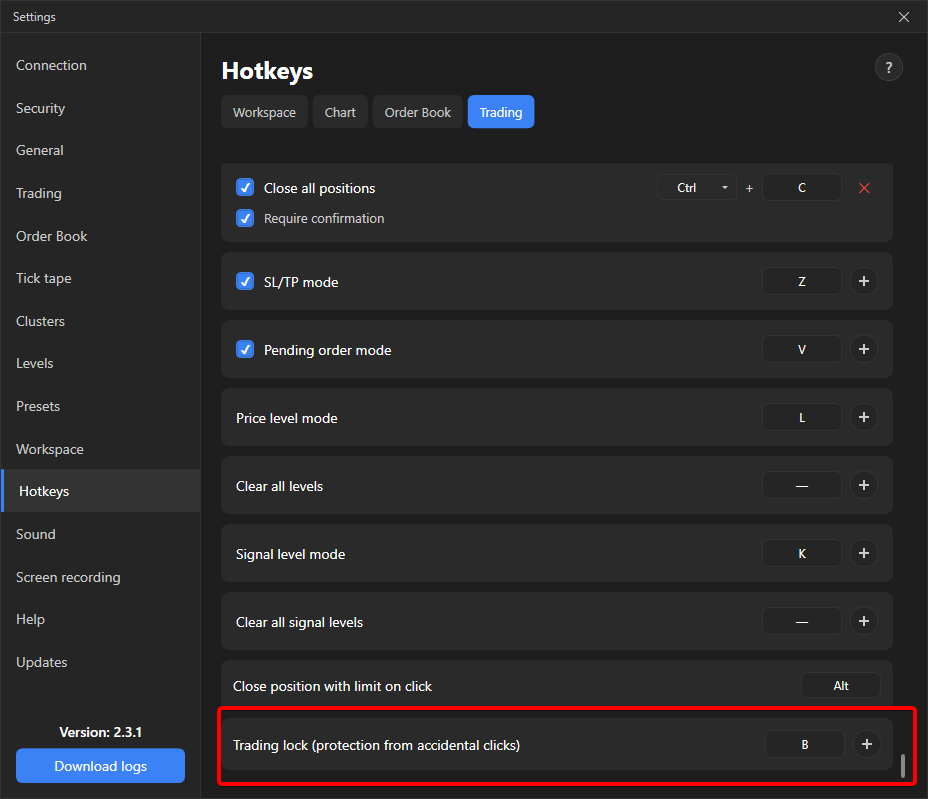
Section titled “Trading lock”Protection against accidental key presses. Turned on and off with a single “Trading lock” key, not assigned by default. While the lock is on, a red icon glows in the top right corner of the order book and any trading action is rejected with “Trading is locked. Action not performed.” The cancel buttons in the Orders table are disabled.
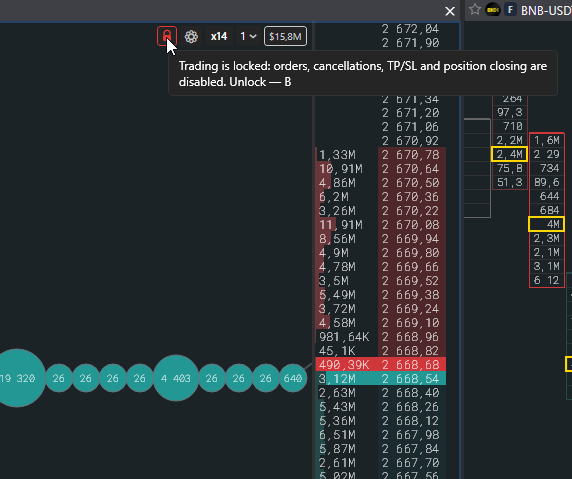
Under the lock these do not work: orders by click and by key, cancelling and moving orders, TP/SL, closing positions, and the automation: local stops, auto TP/SL and auto-cancel by range. Conditional orders already on the exchange keep working.
The lock is one for the whole application and survives a restart.