
Checking the connection
What the terminal does when verifying a key, how to tell the connection works, and what happens when you click “Connect”.
How to tell everything works
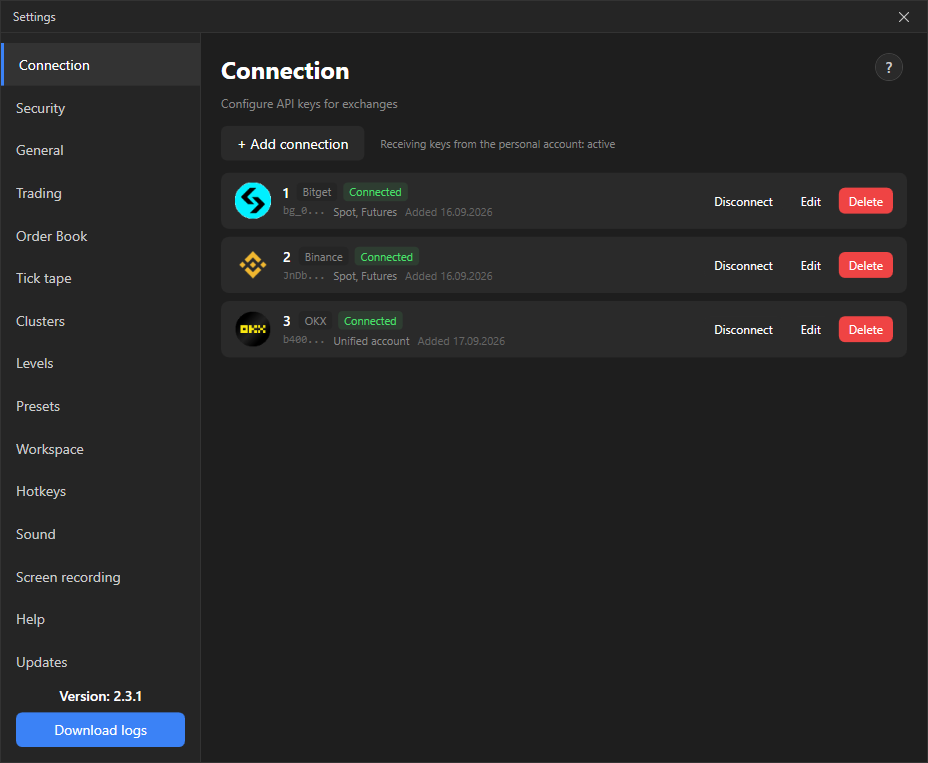
Section titled “How to tell everything works”- The connection card shows the status Connected in green and the list of markets: “Spot”, “Futures”, “Unified Account” or “Spot, Futures”.
- At the top left of the order book the ping is shown: the delay between the exchange sending data and it appearing on screen. Green up to 400 ms, orange up to 800 ms, red above. A dash until data arrives.
- With General → Show connection status enabled, notifications appear in the corner of the screen: “Connection established”, “Reconnecting…”, “Connection restored”, “Connection closed”.
What happens on “Connect”
Section titled “What happens on “Connect””For a few seconds the terminal covers the trading area with the message “Switching connection…”, clears the previous account’s data, reconnects the data streams and loads the new account’s open orders. While the overlay is shown, trading clicks do not go through. After that you can trade.
If another connection was already active for this exchange, it gets disconnected: only one can be active per exchange.
If the order book lags
Section titled “If the order book lags”When the order book stream stops updating, the message “Order book is lagging behind the market. Reconnecting…” appears over it. Clicks go through it: you can close a position during reconnection.