
Order book problems
Typical order book complaints and what to do about them. Most are solved with the panel settings: the gear in the top right corner of the order book.
| Symptom | Cause | Solution |
|---|---|---|
| The order book is empty or frozen | The quotes stream was interrupted. | No quotes. |
| The order book does not return to the spread | Auto-centering does not work while the cursor is over the order book and while a price or signal level is on screen. The switch may be off or the threshold high. | Move the cursor away, press Shift, check “Auto-centering” and “Auto-scroll threshold”: Order book depth and auto-centering. |
| Few levels | “Minimal” depth or compression is on. | “Max” depth in the gear, compression x1 with the − key or a right click on the badge. |
| Volumes are “wrong” | $ mode is on, decimal places are set, or levels are folded by compression. | The $ button, “Decimal places”, compression: Order book display settings. |
| Volume bars are identical or empty | “Full-scale volume” is set manually and does not fit the instrument. | “Reset to auto” in the gear or hold F and turn the wheel: Densities. |
| Large volume highlighting does not work | The “Large volume 1/2” thresholds are not set, or threshold 2 is less than twice threshold 1. | Enable “Auto-fill” or set the thresholds, threshold 2 at least twice threshold 1. |
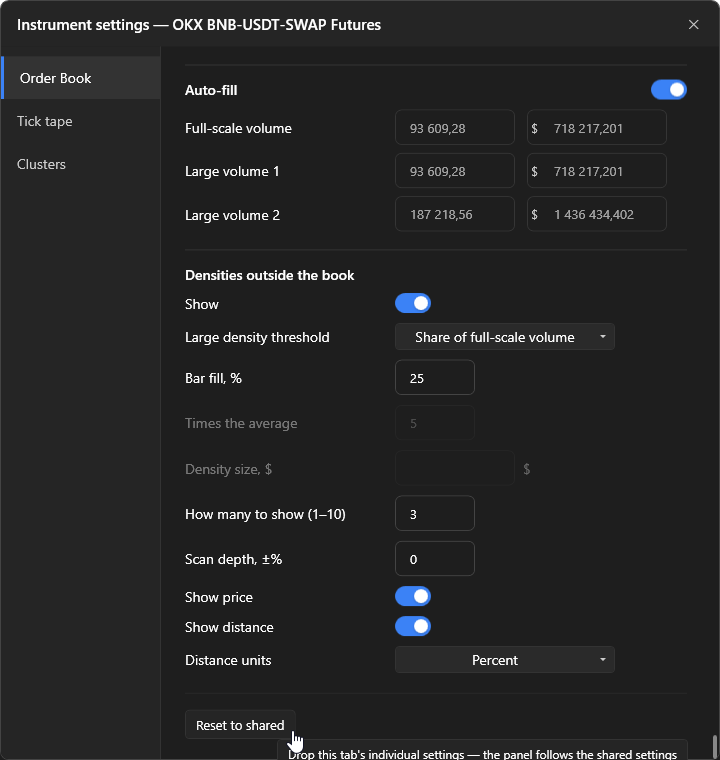
| Density markers are not visible | The “Show” switch is off, the threshold is too high, or the scan depth is limited. | The “Off-screen densities” section in the gear. |
| The tick tape disappeared | The clusters are expanded to full width. | A double click on the clusters brings the tick tape back: Tick tape. |
| Clicks do not trade | Trading lock, a hold mode, a click on a badge. | The order is not placed. |
| Settings “reset” on all panels | “Apply to all” was pressed in the common settings: personal values are erased. | The action is irreversible, set the personal values again. |
| The panel ignores the common settings | The parameter has a dot ●: a personal value is set. | “Reset to common” on the needed tab of the gear. |
| The hover ruler gets in the way | The hover ruler is on. | Turn off its values in Settings → Order book → Order book hover ruler. |
If it did not help
Section titled “If it did not help”Describe the exchange, instrument and what exactly is wrong, attach a screenshot and logs: How to contact technical support.