
Financial result
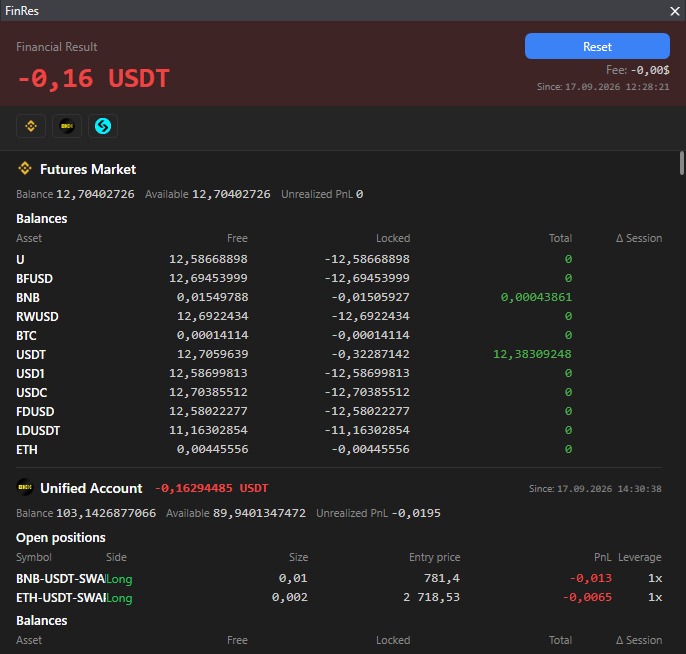
The “Financial result” panel shows the account state for each connection and its change over the session.
Where it is
Section titled “Where it is”Top bar → PnL.
What it shows
Section titled “What it shows”For each connection, sections by market: Spot market, Futures market or Unified account. In a section:
- Whether trading is allowed or forbidden for the key, maker and taker fees, fee tier.
- Balance, Available, Unrealized PnL.
- Open positions: symbol, side, size, entry price, PnL, leverage, isolated or cross.
- Balances by asset: free, locked, total.
Session
Section titled “Session”“Δ Session” is the balance change from the reset point, next to it “Since:” with the date. The point is set automatically on the first launch, the Reset button sets a new one: count the result from this moment.
Messages
Section titled “Messages”- “Set up API keys in Settings → Connection”: no connections.
- “Could not get account data”: the exchange did not respond, try later.
- “No assets with a non-zero balance”.